Finance - FAQ
Q: Can I pay for my subject selection using multiple payment methods in the same transaction and/or multiple credit cards?
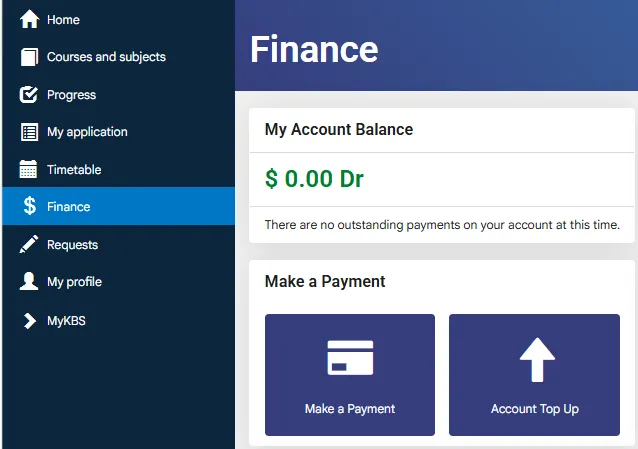
A: If you’d like to make payments with more than one credit card,. you can make Top Up payments via Kaplink, which can be accessed from your Finance page. You can pay with Flywire more than once when using Kaplink, but keep in mind that you must initiate a new transaction for each payment.
Please note that if 3 or more credit cards are used, we will flag them as suspicious activity and will be in touch with you to request proof that you are the cardholder or proof of authorisation from the cardholder to use the card.
Please note that no surcharge applies when making credit card payments via Flywire. Flywire accepts Mastercard, Visa and American Express (Amex) credit card payments. Foreign exchange fees may apply
Q: What is the minimum amount I can transfer to KBS via Flywire?
A: The minimum transaction amount is $10.
Q: Why do I have outstanding debt displayed on the payment page/ Finance page?
A: Any amounts owing to Kaplan will be highlighted in red and displayed as a debt in your Finance page on your Kaplink. If you have recently paid your fees, please allow the following processing times for your payment to be displayed on your account in Kaplink:
Credit card: 2 minutes
Bank transfer from an Australian bank: 4 hours from the time of transfer
Bank transfer from an overseas bank: Up to 2 days from the time of transfer
If you have any queries regarding the balance displayed on Kaplink please contact the Student Experience Team.
Q: I’d like to pay for my tuition fees, how can I do that?
A: You can pay your tuition fees securely through Flywire via Kaplink. Flywire supports a range of payment methods, including bank transfer and credit card payments using Visa, Mastercard and American Express (Amex).
During the subject enrolment period, after selecting your subjects, Kaplink will display the amount of fees payable and any available credits. Once you click “Pay via Flywire”, you will be directed to Flywire to complete your payment using your preferred payment method.
If you’d like to make a payment without enrolling in subjects, you can make a Top Up payment via the Finance page in Kaplink and complete your payment through Flywire.
When making your payment, please ensure you follow the payment instructions provided by Flywire. No surcharge applies to credit card payments made via Flywire; however, foreign exchange fees may apply depending on your card issuer or bank.
Q: Why is my finance page showing invoices that are cancelled out?
A: Each time you deselect and/or change your subjects, an invoice is raised in Kaplink. The invoice for the subject that you have deselected will therefore be credited back and the new subject will be invoiced. The total amount for each of your subjects will still be reflected accurately, but it may not necessarily reflect all on the one invoice. If you have further questions relating to your finance page, please reach out to the Student Experience Team.
Q: I am having financial or personal issues that might impact my enrolment, what should I do?
A: If you are experiencing financial or personal issues that might impact your enrolment, please contact the Student Experience Team as soon as possible to discuss how KBS can best support you. The earlier we are aware of potential issues, the more options there will be available to you, so please ensure you contact us at your earliest convenience.
Q: I have overpaid my fees, how can I request a refund?
A: Please login into your Kaplink and navigate to the refund request menu:
Go to Finance tab > Click on ‘Request Refund’ on the left-hand side under ‘Request Refund’ > Fill in the required information and upload your banking and supporting documentation > Once you’re finished, click ‘Submit’.
If you are an alumni or former student and have lost access to your Kaplink account, you would have received an automated email from Kaplink with a link to reset your password. Resetting your password will restore access to Courses and Subjects, Progress, Application, and Finance within Kaplink and can reset your password at any time if you are unable to reset your password, please contact the Student Experience Team to request a Refund Request Form. Once completed, the team will lodge the form on your behalf. Please note that a refund is not guaranteed, your request will need to be assessed first. Eligibility for a refund will be assessed based on our Refund Policy.
Q: Why am I being invoiced a higher amount for my fees than last year/last trimester?
A: Please note that tuition fees are subject to up to a 10% annual increase. Also, if you have had your fees calculated in a previous year, your Offer Letter may reflect that previous year’s subject fee pricing for your first trimester only, and after that, you will be invoiced at the current year’s pricing. This can also be the case if you have had used up your prepayment credits. Finally, please note that certain electives will be priced differently according to the course they are derived from. You may refer to the Fees page for more information.